Let’s Improve Education Together.
Whether you are a school, trust, or local authority, our Management Information System supports each step of your students’ educational journey.


Used by millions across the Bromcom Community.
Hundreds of schools move over to Bromcom every year so why not see what all the fuss is about.

3.3m
Users

1.2m+
Students

2.6K+
Schools

280+
MATs

An MIS built for success.
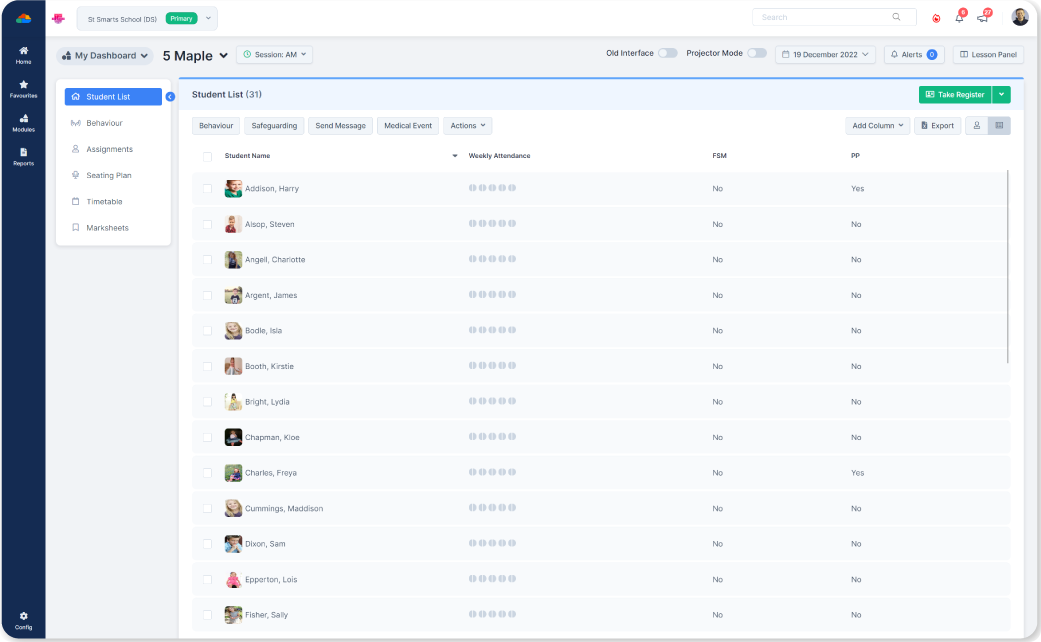
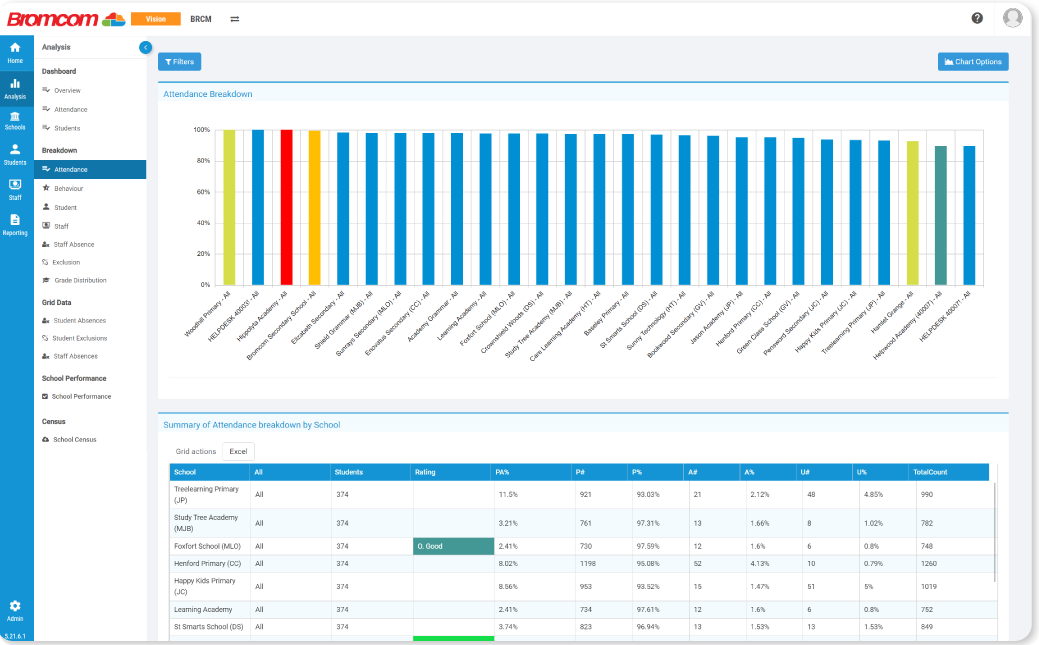
Your Management Information System (MIS) is the backbone of your school's success – and we believe you deserve the very best. That means a cloud-based system that informs decision making and aids collaboration. One that includes all the functionality you need, without costly bolt-ons. And above all, one that helps you deliver better education outcomes for students.

Designed with you in mind.
Our ground-breaking products have been developed in collaboration with a diverse range of schools, Multi-Academy Trusts (MATs), and Local Authorities. As a family-owned company, we value the importance of building strong partnerships. And with 40 years’ experience in education, we know that every institution is unique, with individual requirements.

Everything under one roof.
With Bromcom, you’ll get a built in Finance solution, unrivalled dashboards and Power BI integration, and our renowned ‘My Child at School’ app to manage trips, clubs and wraparound care. You’ll even have access your own AI ‘personal assistant’. And that’s just scratching the surface. Book a demonstration to find out more and see why the future is brighter with Bromcom!
Education for Educators.

News/PR
Bromcom AI: The UK’s first AI powered MIS
What if your MIS could quickly identify potential issues within your school that...
14th March

Blog
Autism Awareness Week
Did you know that around 1 in 100 people in the UK are on the autism spectrum an...
5th April

Blog
Students list page: 5 useful features you may not ...
As you may already know, Bromcom MIS is rich with features, offering everything ...
26th March
Browse our products.
-
Primary MIS Primary... Primary MIS
Trusted by thousands of teachers and parents.
Our cloud-based platform is accessible from anywhere, allowing teachers, parents and business managers to support pupils from any device. Our My Child At School (MCAS) App is free on the Apple and Google app stores
Schedule a Call4.3/5 - Google Play"Being part of the support community has been incredibly rewarding. The collective spirit and genuine help exchanged here are truly remarkable. It's a source of inspiration and reassurance. I've found valuable insights, shared experiences, and a network of understanding individuals. This community goes above and beyond, creating a positive space for growth and connection.""
 Christine Vincent
Harewood Centre Nursey School
MCAS has transformed our communication approach, offering incredible capabilities. Our internal adoption built confidence, and the gradual introduction to parents has been a success, leading to steady progress. The product's effectiveness is evident, and we eagerly await full implementation. Milestone achievements with MCAS bring immense excitement, highlighting its positive impact on our communication processes. This powerful tool has significantly boosted our overall efficiency and connectivity, making it an invaluable asset for our organization."
 Todorka Rolfe
Courthouse Junior School
"Community communication has transformed for us with the ability to easily connect through email. It's become a game changer, especially for family dynamics. Now, staying in touch with parents and sharing updates is effortless. This shift has strengthened our bonds and made the flow of information dynamic and efficient. Truly, a positive change in the way we connect and engage with our family.""
 Ayla Young
City Of Birmingham School
Bromcom exceeds SIMs in flexibility, transforming our experience. Compared to our longstanding use of SIMs, tasks are now quicker and more user-friendly. The platform's agility is a standout feature, enhancing our efficiency. Specifically, the improved report generation is noteworthy, offering a superior experience to our previous SIMs usage. Bromcom has seamlessly integrated into our workflow, providing a streamlined and superior solution for our needs." Anonymous both staff and school name."
"The platform's all-in-one convenience is a game-changer. Quick access to information, except in the mornings, streamlines my workflow. Exporting data, especially personnel and absence details, to Excel is a breeze. The document section with guidance notes is invaluable. Overall, its efficiency and user-friendly design make it an essential tool for effortlessly managing information. I'm thoroughly impressed.""
 Rachel Franzen
Alwyn Infants School
"Embracing the new system revolutionized our approach to parents' evening and communication. With seamless processes, user-friendly access, and robust reporting features, it surpassed our expectations. The decision to transition was driven by the platform's remarkable capabilities, enriching our connection with parents and simplifying administrative tasks. Undoubtedly, it's a cornerstone for our school community, delivering unparalleled efficiency and effectiveness.""
 Carole Ward
Ashton-Under-Hill First School
"Discovering this platform was a game-changer for me. The user-friendly home page and efficient dashboard streamline my daily tasks, especially with quick access to attendance reports for the children. Although navigating some features can be a bit indirect, the outstanding helpdesk support compensates. The team is brilliant and responsive, making any challenges worthwhile. Overall, a valuable tool for managing tasks and accessing vital information effortlessly.""
 Vicki Walker
Millbrook School
"The school management app has truly transformed our communication and efficiency. Access to contact information has greatly improved teacher collaboration. Despite initial resistance to the timetable feature, I'm confident it will streamline processes. The remote access is a game-changer, offering flexibility. The app's messaging feature ensures swift communication with parents, promoting a connected and informed school community. It's a valuable tool that has positively impacted our overall workflow and parent engagement.""
 Jo Gordon
The Academy School
"Our experience with this communication system has been incredibly positive. The platform's simplicity facilitates easy and convenient interactions, nurturing consistent and meaningful connections with our parents. The centralized approach ensures seamless communication, contributing to a harmonious family dynamic. We value the system's effectiveness in enhancing relationships and fostering a supportive environment for open dialogue, making it an essential tool in our family communication.""
 Emma Thompson
Oakridge Community Primary School
"Easy navigation and a helpful guide make finding my way a breeze! The Census setup is fantastic with simplicity at its best. Locating what I need is quick and straightforward, making the entire process smooth and enjoyable. As a satisfied user, I appreciate the user-friendly approach and efficiency. Highly recommended for a seamless experience!""
 Vicky Brennan
Broadmeadow Infant School